

Key Takeaways
- Carry physical originals of critical documents in a single, accessible location on your person.
- Digital backups stored in cloud services protect you if physical documents are lost or stolen.
- Photocopies left with a trusted contact at home give you a recovery path in emergencies.
- Group your payment cards intentionally so a single lost wallet doesn't cut off all access to funds.
- Verify entry requirements with official government sources before departure, as rules change.
What you will need
Why document organization matters more than most travelers expect
Misplaced travel documents cause delays at borders, missed connections, and, in worse cases, denied boarding. The problem is rarely carelessness. It is the absence of a consistent system before the trip begins.
A good document system has three layers: physical originals on your person, digital copies accessible from any internet-connected device, and a backup set with someone you trust at home. Each layer covers a failure mode the others cannot. Physical copies are useless if your bag is stolen. Digital copies are useless if your phone is dead or you cannot reach a signal. The home backup is useless for quick access at a checkpoint but is the recovery path when both other layers fail.
The tools and steps below walk through building that system before your next departure. For a broader look at what experienced travelers do to stay prepared, see what experienced travelers do differently when planning.
What you will need
What you need before you start
Document organizer wallet or travel folio
Holds your passport, boarding passes, and key cards in one slim, portable case.
Cloud storage account
Stores scanned or photographed copies of all critical documents so you can access them from any device.
Smartphone with camera
Photographs documents and uploads them to cloud storage before departure.
Home printer or scanner
Produces physical photocopies to leave with an emergency contact.
Secure password manager
Stores reservation numbers, policy numbers, and emergency contact details behind a single master password.
Step-by-step: building your document system
Gather every document the trip requires
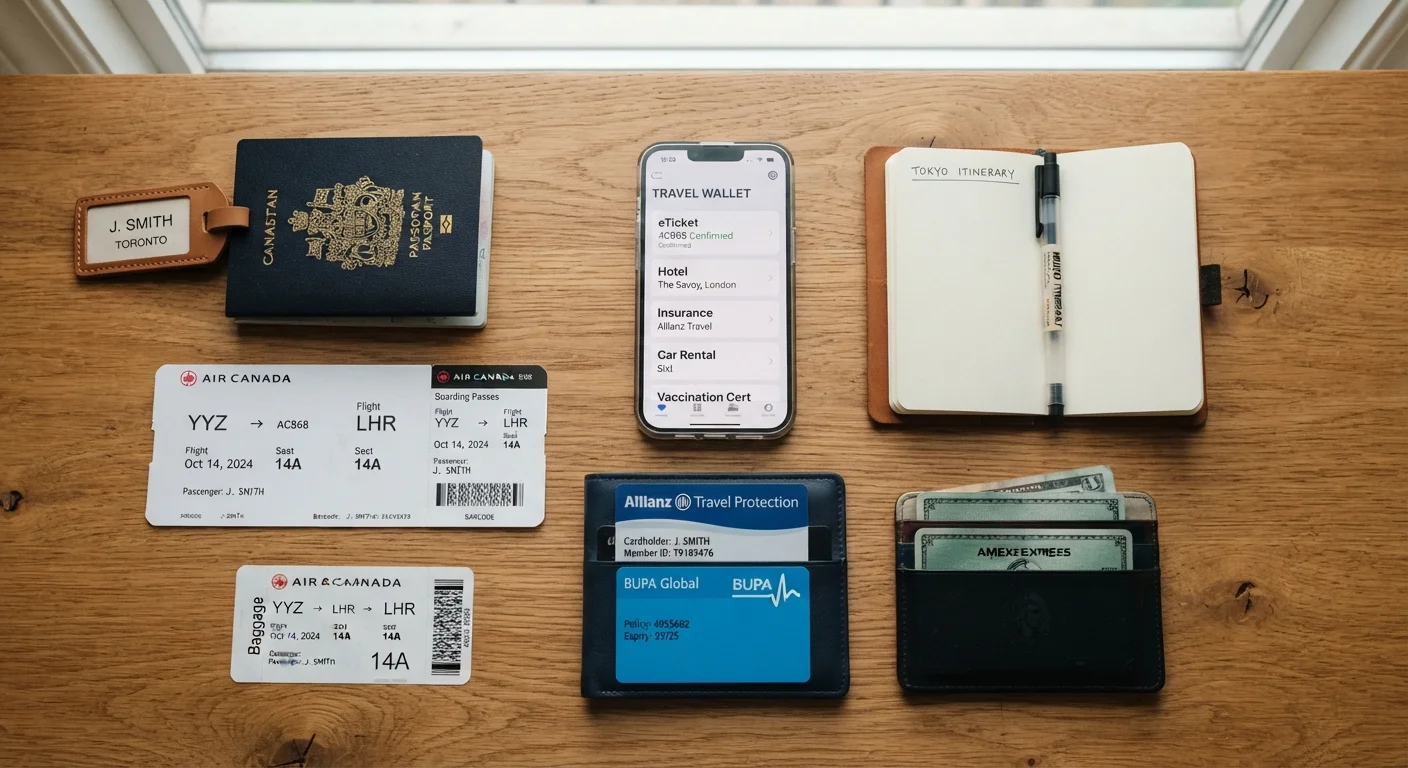
Pull together all physical documents you will need: passport, any visas or entry permits, flight and hotel confirmations, car rental agreements, travel insurance policy, vaccination records if required, and any international driving permit. Add credit and debit cards, medical insurance cards, and any loyalty cards you expect to use.
Check entry requirements for your specific destination through official government sources before this step. Requirements for visas, vaccinations, and permitted identification vary by country and change without much notice. See our guide to passport and visa requirements for a clear breakdown of what to verify.
Create digital copies and upload them to cloud storage
Photograph or scan both sides of each document: passport photo page, visa stamps, insurance cards, and the summary page of your insurance policy. Upload every file to a cloud storage account you can reach from a browser as well as your phone. Label files clearly (for example, "passport-scan-2026" or "travel-insurance-policy-number") so you can find them under pressure.
A password manager is a reliable place to store reservation confirmation numbers, airline booking references, and the customer service numbers for your bank and insurer. That information becomes critical if your phone is lost or stolen and you need to log in from a hotel computer.
Leave physical copies with a trusted contact at home
Print one set of copies of your passport photo page, travel insurance policy, and itinerary. Give them to a family member or close friend who can read or transmit the information to you in an emergency. Make sure that contact also has your travel insurance provider's emergency assistance phone number, which is usually different from the general customer service line.
Split your payment cards across two physical locations
Do not carry all of your payment cards in the same wallet. Keep your primary debit or credit card in your travel folio or a front-pocket wallet. Store a backup card (ideally from a different bank or network) separately, such as in a zipped interior pocket of your bag. This way, losing one wallet does not cut off your access to funds entirely.
Notify your bank before travel so transactions are not flagged and blocked. Write down the international collect-call number for each card issuer (found on the back of the card) in your password manager before you leave, because toll-free numbers do not work from abroad.
Organize physical documents for quick access at checkpoints
At airports and border crossings, you will need your passport and boarding pass repeatedly. Keep both in the outermost slot of your travel folio, not buried in a bag. Everything else (hotel confirmations, insurance paperwork, car rental documents) can sit behind them in the same folio, organized in the order you will likely need them during the trip.
After each checkpoint, return documents to their designated slot immediately rather than tucking them into a coat pocket or under a laptop. The habit prevents the most common cause of document loss: setting something down "just for a moment."
Review and update your system after the trip
When you return, delete any cloud copies that contain sensitive data you no longer need. Update your system for the next trip: note which documents expired, which confirmations were never needed, and whether your folio layout worked well at real checkpoints. A short review now makes the next pre-trip preparation faster and more reliable.
Never carry only one form of payment access
If your single wallet or card is lost, stolen, or blocked by your bank, you may be left without funds in an unfamiliar location. Always keep at least one backup card stored separately from your primary card, and have your bank's international contact number saved somewhere other than the card itself.
Keeping everything connected while on the road
Once you are traveling, your document system only works if you maintain it consistently. The most common breakdown point is the end of a long travel day, when it is tempting to dump boarding passes and receipts into a bag pocket. Spend two minutes each evening returning documents to their correct slots in your folio.
If you add new documents during the trip (a local SIM card receipt with your number on it, a prescription from a travel clinic, a car rental agreement picked up on arrival), photograph them and upload to your cloud folder the same day. Your cloud folder should reflect what you are currently carrying, not just what you packed at home.
For anything related to your phone's storage and how cloud access actually works on mobile, this overview of cloud storage and your phone explains the practical mechanics. That matters when you are trying to open a document in an airport with no signal.
Use offline access for your document folder
Most cloud storage apps let you mark specific folders or files as available offline. Do this before you leave home. Border crossings, transit hubs, and rural areas often have weak or no data connectivity, and that is exactly when you need your insurance policy number or confirmation code fastest.
This article is for general informational purposes only. Entry requirements, visa rules, and insurance terms vary by destination and provider. Always verify current requirements with official government sources and read your insurance policy documents before traveling.