

Key Takeaways
- A modem translates your ISP's signal into a form your home devices can use.
- A router distributes that translated signal to multiple devices and manages local network traffic.
- Without a modem, your router has no internet signal to share.
- Without a router, only one device can connect to the internet at a time.
- Many ISPs supply a combined modem-router unit, but the two functions remain distinct inside it.
- Understanding which device is causing a problem can save time when troubleshooting connection issues.
Option A
Modem
The gateway between your home and your internet provider.
Best for: Any household that needs a physical connection to an ISP's network, whether cable, DSL, or fiber.
Option B
Router
The device that shares and manages your home network.
Best for: Any home with more than one device, wired or wireless, that needs internet access at the same time.
If you only need to connect one wired device to the internet
Modem
A single modem with one ethernet port is technically sufficient for one device, though this setup is rare in practice.
If you have multiple devices or need Wi-Fi anywhere in your home
Router
A router lets smartphones, laptops, smart TVs, and other devices share one internet connection simultaneously.
If you want to simplify your setup with fewer boxes
Modem
A gateway device that combines modem and router functions reduces cable clutter, though you lose some control over network settings.
If you want more control over your network security or speed
Router
A dedicated router gives you access to firewall settings, guest networks, device prioritization, and other management tools a combined unit may not expose.
What each device actually does
Your internet connection involves two distinct handoffs. First, a signal arrives at your home from your internet service provider (ISP), traveling through a cable line, a phone line, or a fiber-optic cable. That raw signal is not in a format your laptop or phone understands. A modem (short for modulator-demodulator) converts that incoming signal into a standard digital format, specifically the IP traffic that devices on a home network can read. It also sends data back out in the format the ISP's network expects.
Once the modem has done its job, you have internet access, but only for a single device connected directly to it. A router takes that single connection and distributes it across multiple devices. It assigns each device a local IP address, manages the flow of data between them, and, in most home models, broadcasts a Wi-Fi signal. The router is what makes a network out of your collection of devices rather than just a single wired connection.
One box or two?
ISPs often supply a combined gateway device that handles both modem and router functions. If you have one box handling everything, both jobs are still happening inside it. Knowing which function is which helps when you need to troubleshoot or upgrade part of your setup.
How the two devices differ in practice
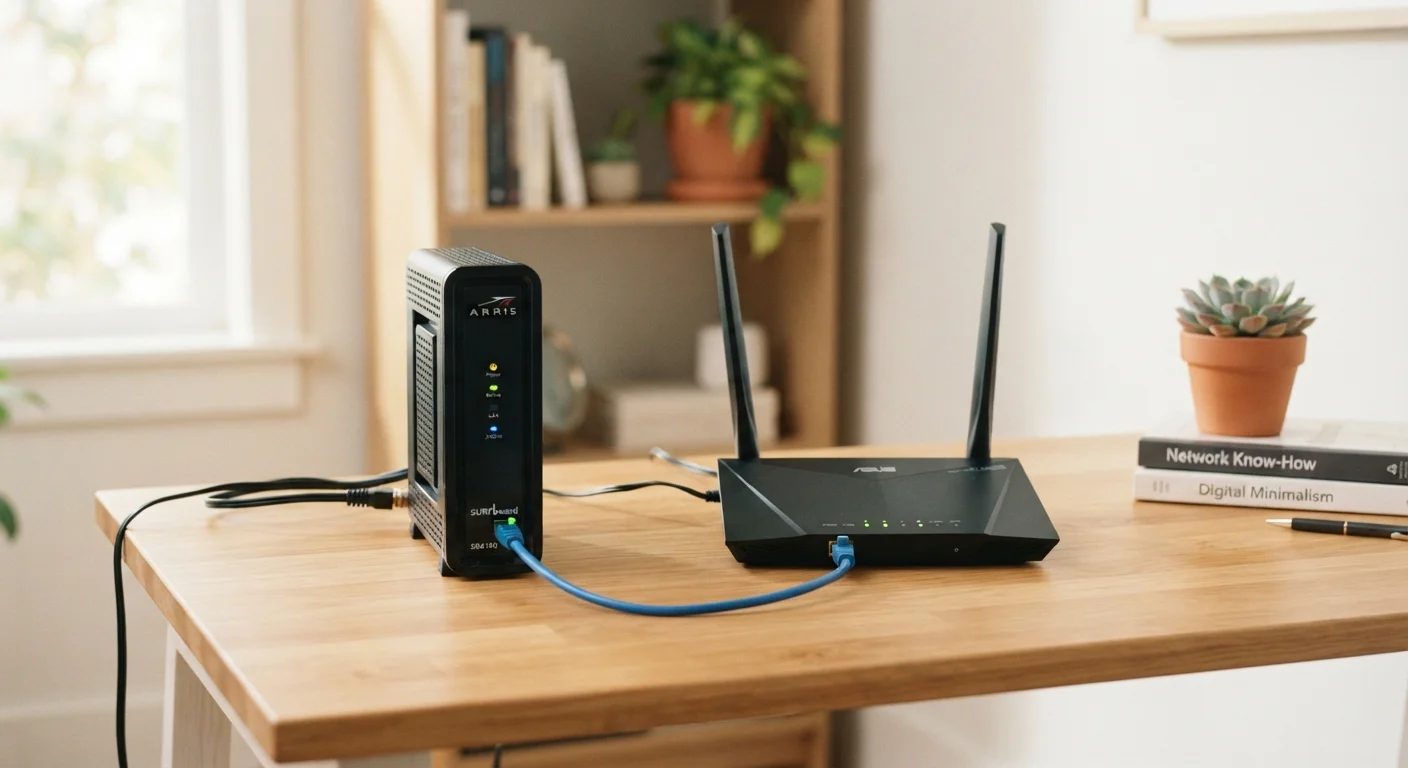
The clearest way to see the difference is to think about what stops working when each device fails. If your modem goes down, nothing in your home can reach the internet at all, regardless of how many routers or devices you have. If your router goes down but the modem is fine, your devices lose their network and Wi-Fi, but a single device plugged directly into the modem with an ethernet cable will still get online.
| Criterion | Modem | Router |
|---|---|---|
| Primary job | Connects home to ISP network | Distributes connection to multiple devices |
| Handles Wi-Fi | No | Yes (in most home models) |
| Assigns local IP addresses | No | Yes |
| What fails without it | All internet access stops | Multi-device and Wi-Fi access stops |
| Supplied by ISP | Often yes | Sometimes, or purchased separately |
| Relevant to network security settings | No | Yes (firewall, guest network, etc.) |
For most households, both devices are always running together. The modem handles the outside world; the router handles everything inside your home. For more on how your devices choose between different connection types once they are on your network, see how Wi-Fi and mobile data compare.
Gateway devices and when the line blurs
Many ISPs provide a single box called a gateway, which combines modem and router functions in one unit. This is convenient, but it does not change how the underlying technology works. Inside that box, a modem circuit and a router circuit are still doing separate jobs. The distinction matters when something goes wrong: a firmware update that breaks the Wi-Fi side has not touched the modem side, and vice versa.
Some people choose to use their ISP's gateway only as a modem (a mode sometimes called "bridge mode") and connect their own separate router to it. This gives them more control over Wi-Fi settings, security rules, and device management than a basic ISP-supplied unit typically allows. The type of internet service coming into your home affects which modem hardware is compatible. DSL, cable, fiber, and fixed wireless each use different standards, so a cable modem will not work on a DSL line.
If you are on a newer 5G home internet plan, the hardware your provider supplies often looks different from a traditional modem, but the same principle applies: one component connects to the outside network, another manages your internal one. You can read more about how that setup compares to traditional broadband in our look at 5G home internet vs. traditional broadband.
Using this knowledge to troubleshoot
When your connection drops, knowing which device does what helps you narrow down the cause quickly. Check whether the modem's status lights show a live connection to your ISP. If those lights indicate no signal, the problem is between your home and the provider's network, and restarting the modem or calling your ISP is the right first step. If the modem looks healthy but devices cannot connect, the router is the more likely culprit. Restarting it, checking its settings, or testing one device with a direct ethernet connection to the modem can confirm that.
Your home network security also depends partly on the router. It acts as a basic firewall between the public internet and your devices, which is one reason network security tools like VPNs operate at the router or device level rather than at the modem. For a broader look at how different security tools protect different parts of your digital life, see our comparison of VPNs and antivirus software.