

Our Verdict
Each tool solves the same dead-zone problem through a different mechanism. Extenders work for small gaps in coverage and tight budgets. Mesh systems suit larger or multi-story homes where seamless roaming matters. Powerline adapters are the practical choice when walls or floors block wireless signals too severely for either wireless option to help.
| Best for | Recommended |
|---|---|
| Small apartments or single dead zones on a budget | Wi-Fi extender |
| Large or multi-story homes with many connected devices | Mesh system |
| Homes with thick concrete or brick walls blocking wireless signals | Powerline adapter |
| Connecting a desktop or smart TV with a wired port in a hard-to-reach room | Powerline adapter |
Why dead zones happen
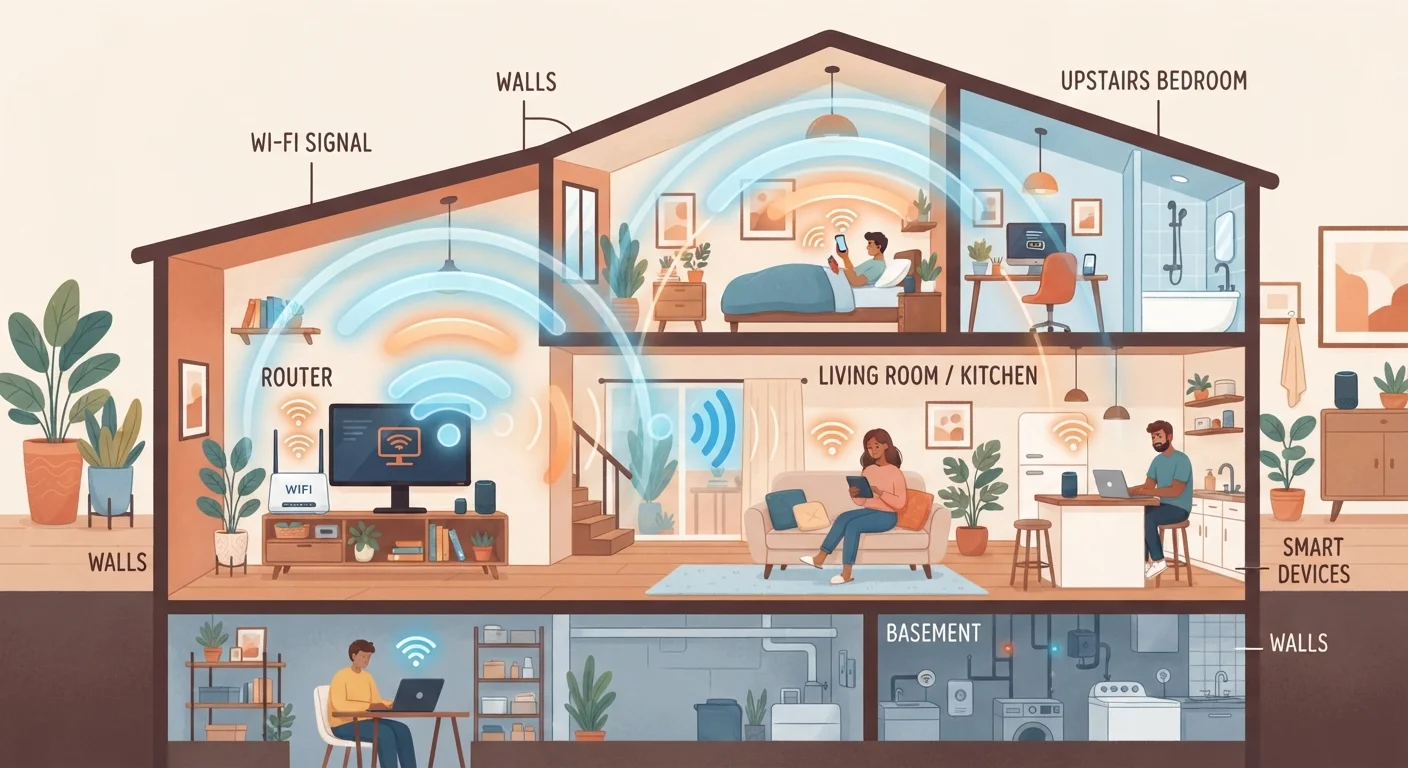
A Wi-Fi signal weakens as it travels through air and loses more strength every time it passes through a wall, floor, or large appliance. Construction materials matter: drywall causes little interference, while concrete, brick, and metal studs can block a signal almost entirely. Distance from the router compounds the problem. The result is a room, floor, or corner where the signal either disappears or becomes too weak for reliable video calls or streaming.
Before buying anything, it helps to know whether your connection speed itself is the issue. If speeds are slow even next to the router, the problem is your internet plan, not your coverage. Understanding your connection type is a useful first step before spending money on coverage hardware.
Wi-Fi extenders
A Wi-Fi extender (also called a range extender or repeater) receives your existing wireless signal and rebroadcasts it. You plug one in roughly halfway between your router and the dead zone. Setup is usually straightforward: press a button on the extender, connect it to your router's network, and it creates a second network name that you switch to manually, or an extension of the same name depending on the model.
The main limitation is bandwidth. A single-band extender uses the same channel to talk to the router and to your devices, so it splits the available speed between those two conversations. Dual-band extenders dedicate one band to the backhaul (the router connection) and another to your devices, which helps but does not eliminate the issue. Anyone expecting the same speeds they get near the router will usually be disappointed.
Extenders work well for low-demand uses: a smart speaker, a thermostat, or occasional web browsing in a far room. For video calls, 4K streaming, or a home office setup, the bandwidth trade-off tends to show.
Place your extender for best results
An extender placed too close to the router just repeats a strong signal into an area that already has one. Place it at the edge of your router's usable range, where you still have a solid connection, so it can carry that signal forward into the dead zone. A general guideline is halfway between the router and the problematic area, but test a few outlet positions before settling on one.
Mesh systems
A mesh system replaces your router entirely. It uses two or more identical nodes placed around the home; each node communicates with the others to form one unified network. Your devices connect to whichever node gives the strongest signal and switch automatically as you move through the house, without you changing anything.
Most current mesh systems use a dedicated wireless band or a wired backhaul connection between nodes, so the bandwidth your devices receive is not cut in half the way it can be with a basic extender. The tradeoff is cost: a two-node mesh system costs considerably more than a single extender, and larger homes may need three or more nodes.
Mesh is the practical choice for homes larger than roughly 2,000 square feet, multi-story layouts, or households with many simultaneous users. The seamless roaming also matters if you move around the house while on video calls.
| Wi-Fi extender | Mesh system | Powerline adapter | |
|---|---|---|---|
| Typical upfront cost | Low | High | Medium |
| Setup complexity | Low | Medium | Low |
| Bandwidth impact | Can reduce speed | Minimal with good backhaul | Varies by wiring quality |
| Seamless roaming | No | Yes | No (wired or localized Wi-Fi) |
| Works through thick walls | Limited | Limited | Yes |
| Best home size | Small | Medium to large | Any, one room focus |
| Replaces your router | No | Yes | No |
Powerline adapters
Powerline adapters take a completely different approach. You plug one adapter into a wall outlet near your router and connect it to the router with an Ethernet cable. A second adapter goes into any outlet in the house and either provides a wired Ethernet port for a device or broadcasts a localized Wi-Fi signal. The two adapters communicate through your home's existing electrical wiring.
This sidesteps walls and floors entirely, which makes powerline a strong option in homes where wireless signals simply cannot penetrate the construction. Speed over powerline varies with the age and quality of the electrical wiring, and outlets on different circuit breakers sometimes perform worse than those on the same circuit. Powerline is not effective in every home, so it is worth confirming a return policy before committing.
If your goal is to connect a single device in a difficult room, such as a desktop computer or a smart TV with an Ethernet port, powerline is often cleaner than a wireless extender because it delivers a stable wired connection rather than a degraded wireless one. For more on how your underlying connection type affects any of these solutions, see how 5G home internet compares to traditional broadband.
Choosing the right tool
The size of your home and its construction material narrow the field quickly. In a small apartment with standard drywall, an extender placed in the right spot may be all you need. In a 3,000-square-foot house with multiple floors, a mesh system will give more consistent results. In a home with thick masonry walls, powerline is worth testing before investing in a mesh system that may still struggle.
Consider what you will actually do in the dead zone. Streaming 4K video, working from home on video calls, and online gaming each put more demand on a connection than browsing or smart-home devices do. Higher-demand uses favor mesh or powerline over a basic extender.
Finally, check what your current router supports. Some routers can pair with compatible extender or mesh nodes from the same manufacturer, which can simplify setup and improve performance compared to mixing brands. If you are curious about how wireless security works on your home network versus elsewhere, public Wi-Fi safety practices offer useful context on what your home network is already doing right.