

Key Takeaways
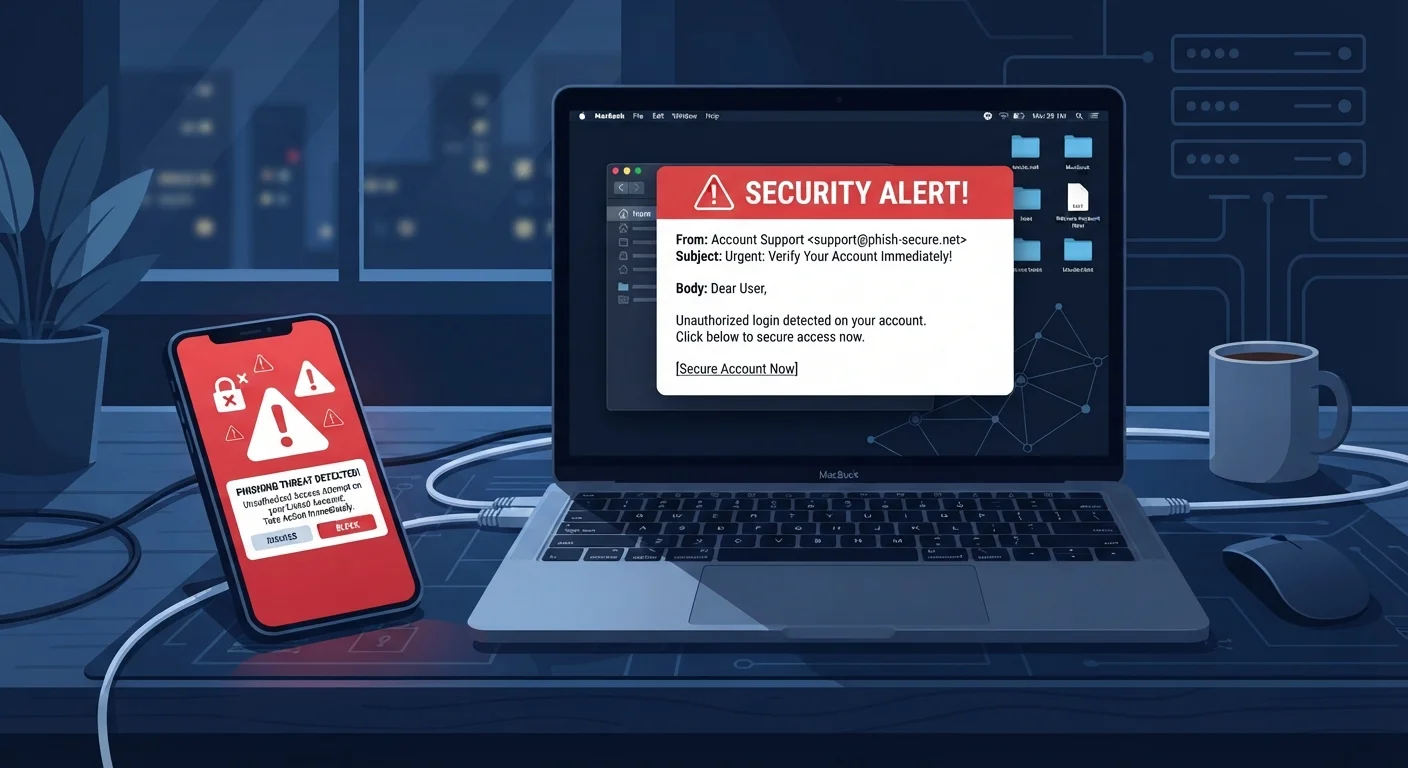
- Phishing emails often mimic real companies but use mismatched sender addresses and urgent language.
- Smishing texts frequently contain shortened or lookalike URLs designed to hide their true destination.
- Vishing callers use caller ID spoofing to appear as banks, government agencies, or tech support.
- Scammers rely on urgency and fear to push you into acting before you think.
- You can verify any suspicious contact by calling the organization directly using a number from its official website.
Phishing, smishing, and vishing
These are three forms of social engineering in which scammers impersonate trusted sources to trick you into handing over personal information or money. Phishing arrives by email, smishing by text message (SMS), and vishing by voice call. All three use deception rather than technical hacking to get what they want.
Social engineering attacks exploit human psychology rather than software vulnerabilities, which makes them effective regardless of how secure your device or operating system is.
How phishing emails are built to fool you
A phishing email is designed to look like a routine message from a company you already trust: your bank, a delivery service, or a streaming platform. Scammers copy real logos, use near-identical color schemes, and write subject lines that trigger concern, such as "Your account has been suspended" or "Unusual sign-in activity detected."
The sender's display name may say "Chase Bank," but the actual address behind it often reveals the fraud: something like support@chase-alerts-verify.net. Most email clients show only the display name by default, so checking the raw address is a step many people skip.
Links inside these emails rarely go where they appear to. A URL might read "paypal.com" in the text but point somewhere entirely different when you hover over it. The destination is usually a convincing login page that captures whatever credentials you enter.
For a broader look at how to evaluate URLs and site trustworthiness, see signs a website is safe.
Check the sender address, not just the name
Email clients display a friendly name by default. Click or tap the sender name to expand and view the actual email address. A legitimate message from your bank will come from a domain that matches the bank's official website exactly, not a variation of it.
Smishing: when the scam arrives by text
Smishing messages are short by necessity, which actually helps scammers. There is less text to scrutinize, and the informal nature of texting lowers people's guard. A typical smishing message claims your package is held for a fee, your bank account is locked, or you have won a gift card.
Texts often include a shortened URL through services like bit.ly or a custom lookalike domain. On a mobile screen, the full address is rarely visible before you tap. Once you do, you may land on a page asking for a credit card number to release a package that does not exist.
Over 300,000
Phishing complaints filed with the FBI in one year
The FBI's 2023 Internet Crime Report recorded phishing as the most reported cybercrime type, with losses in the hundreds of millions of dollars.
98%
Of smishing links opened on mobile devices
The mobile security firm Lookout has reported that the vast majority of phishing URLs in SMS are opened on mobile devices, where full URLs are harder to inspect.
Because phone numbers are easy to spoof in bulk, the sender's number provides no guarantee of legitimacy. If a text prompts you to act immediately, that urgency is itself a warning sign. The tactics scammers use to exploit urgency article explains this pressure pattern in detail.
Vishing: voice calls that impersonate authority
Vishing relies on the assumption that a phone call feels more personal and therefore more credible than a text or email. A caller may claim to be from the IRS, Social Security Administration, Medicare, or your bank's fraud department. The script is often polished, and the caller may already know your name, zip code, or last four digits of an account number, details purchased from data brokers or leaked databases.
Common vishing scenarios include claims that your Social Security number has been compromised, that your computer has a virus requiring remote access, or that a family member is in legal trouble and needs money immediately. Each scenario is built to make you act before you think.
Caller ID spoofing makes the displayed number look exactly like the organization being impersonated. If a call surprises you with urgent news, hang up and call the organization back using a number you find yourself on its official website. Never use the callback number the caller provides.
Older adults are frequently targeted by vishing campaigns. The online safety guide for older adults covers these scenarios in plain language for anyone who wants to share this information with family members.
What all three methods have in common
Phishing, smishing, and vishing share the same core structure: impersonate a trusted source, manufacture urgency or fear, and push the target toward a single action before they can think critically. The complete guide to staying safe online covers how this pattern appears across other types of scams as well.
Understanding the delivery channel helps you apply the right skepticism. An unexpected email with a link deserves a hover-check on the address. An unexpected text with a URL deserves a pause before tapping. An unexpected call demanding immediate action deserves a hang-up and an independent callback. None of these responses are rude; they are the appropriate reaction to how these attacks are designed.
Scammers also layer these methods. You may get a phishing email followed by a vishing call referencing it, or a smishing text that leads to a phone number staffed by a live fraudster. If a romance develops online and then shifts to urgent requests for money or gift cards, the signs of a romance scam article covers that overlap.
Report suspected scams to the FTC at ReportFraud.ftc.gov and forward suspicious texts to 7726 (SPAM), which is a shortcode supported by major US carriers.